Apple has officially unveiled iOS 26, marking one of the most significant overhauls to the iPhone experience in over a decade. With a striking new design, powerful on-device AI capabilities, and deep integration across Apple’s ecosystem, iOS 26 aims to redefine how users interact with their devices. Here’s an in-depth look at what iOS 26 brings to the table, along with its advantages, drawbacks, and what users can expect as it rolls out in 2025.
Launch and Availability
iOS 26 was introduced at Apple’s annual Worldwide Developers Conference (WWDC) in June 2025. Developer and public betas are being released throughout the summer, with the final version expected to be available in the fall. The update will support the iPhone 11 and newer, but some advanced features will be exclusive to the latest iPhone 15 Pro, 15 Pro Max, and the upcoming iPhone 16 series.
A Stunning New Look: The Liquid Glass Design
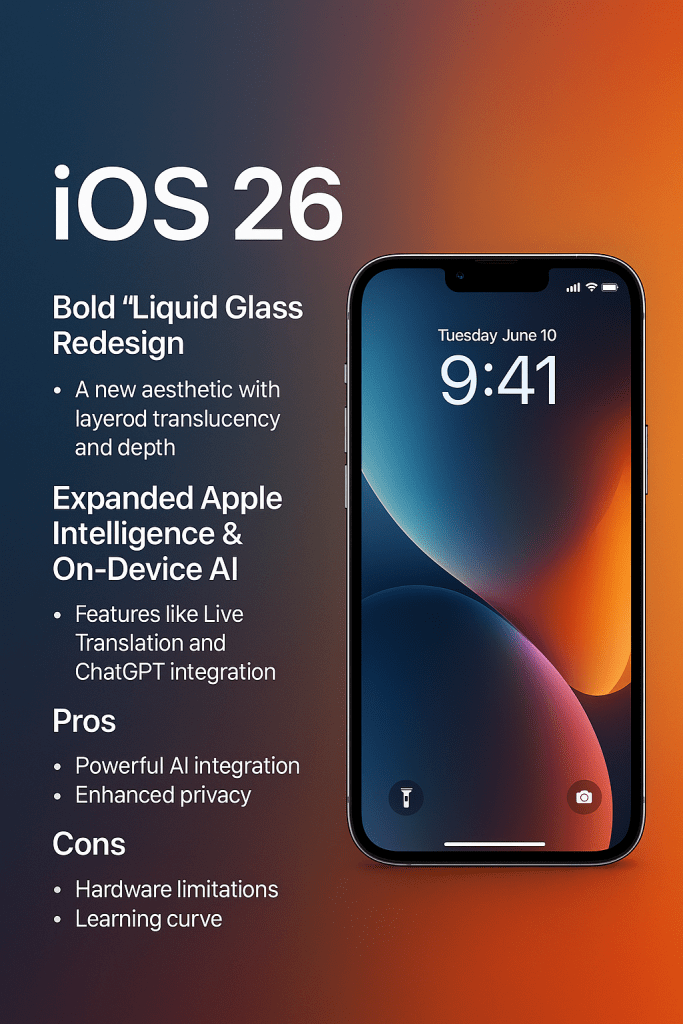
The most visually striking change in iOS 26 is the introduction of the Liquid Glass design language, a new aesthetic that replaces the flat visuals of past iOS versions with layered translucency and depth. Inspired by Apple Vision Pro’s visual style, the interface now features glass-like panels, curved edges, dynamic lighting, and real-time reflections.
Control Center, app menus, notification banners, and widgets now have a more spatial, tactile appearance. Users can also personalize home screen elements with dynamic icon styles and interactive clock displays that respond to wallpaper content and time of day.
This redesign brings a breath of fresh air to the iPhone, aligning the mobile interface more closely with Apple’s broader ecosystem—especially for users who also own iPads, Macs, or Vision Pro.
Smarter Than Ever: Apple Intelligence and AI Integration
A major highlight of iOS 26 is the rollout of Apple Intelligence—Apple’s privacy-first take on generative AI. Unlike cloud-based AI services, Apple’s system processes information locally whenever possible, prioritizing user privacy.
Here are some key AI features in iOS 26:
- Live Translation: Real-time voice and text translation within phone calls, Messages, and FaceTime. This makes conversations between different languages seamless and natural.
- ChatGPT Integration: Through a new assistant interface, users can generate summaries, answer complex questions, or create custom images and emojis, right from Messages or Safari.
- Genmoji & Image Playground: A fun tool that lets users create their own emoji mashups or generate AI backgrounds for their chats and lock screens.
- AI-Powered Shortcuts: The Shortcuts app can now use AI to automate tasks like summarizing articles, generating reports, or editing media.
- Adaptive Battery Mode: Dynamically adjusts performance and battery consumption based on user behavior and environmental conditions.
However, it’s worth noting that many of these advanced AI features are only available on the newest devices—particularly those equipped with the A17 Pro chip or later.
Upgraded Communication Features
iOS 26 introduces several updates to how we make calls, send texts, and interact through Apple’s core apps:
- Hold Assist: A smart feature that waits on hold for you during calls to businesses or customer service, notifying you when a real person is available.
- Call Screening: Automatically screens and transcribes unknown calls, letting users see who’s calling and why before picking up.
- Phone App Redesign: Merges Favorites, Recents, and Voicemail into a cleaner, streamlined interface.
- Improved Messages: Adds chat backgrounds, message reactions with Genmoji, in-chat polls, scheduled messages, and group money transfers.
- FaceTime Enhancements: Includes real-time captioning, live translation, and even optional content filters for family-friendly video calls.
Better Driving and Entertainment Experience
Apple continues to evolve its in-car and media services. With iOS 26:
- CarPlay Gets Smarter: New compact notifications, pinned chats, and support for real-time Live Activities like maps and delivery updates make driving more efficient.
- Apple Maps: Adds personalized history, traffic alerts, and airport maps, including features like gate numbers and baggage tracking.
- Apple Music Enhancements: Now includes translated lyrics, pronunciation guides, AutoMix for seamless playlist transitions, and improved social sharing tools.
- New Games App: iOS 26 introduces a dedicated Games app that serves as a unified hub for all iPhone games, Apple Arcade titles, and social challenges.
Subtle but Powerful System Improvements
Beyond the headline features, iOS 26 introduces numerous system-wide enhancements:
- Camera App Upgrades: New 3D photo features create subtle movement effects using depth data and motion tracking.
- Wallet App: Expanded support for loyalty cards, installment plans, and real-time shipping tracking.
- Notes & Reminders: AI helps create task lists and summarize notes. Notes now sync more fluidly with Apple Watch and other Apple devices.
- Accessibility: Improved screen reader features, full Braille keyboard support, and better labeling in third-party apps.
Pros of iOS 26
- Fresh New Design: The Liquid Glass aesthetic revitalizes the iPhone experience with stunning visuals and fluid motion.
- Powerful AI Integration: Real-time translation, task automation, image generation, and smart assistance bring real productivity benefits.
- Enhanced Privacy: Apple Intelligence runs locally, meaning user data stays on the device wherever possible.
- Better Communication Tools: Call screening, message customization, and FaceTime upgrades enhance how users connect.
- Cross-Device Integration: Seamless experiences across iPhone, Mac, iPad, and CarPlay.
Cons of iOS 26
- Hardware Limitations: Many AI features are only available on newer iPhones, limiting the experience for users with older models.
- Learning Curve: The radical UI change may take time for long-time iOS users to get used to.
- Beta Bugs: Early adopters of the beta versions might face performance issues, crashes, or app incompatibilities.
- Storage and Processing: The AI tools and design features can demand more from the device, potentially reducing storage and performance on base models.
Final Verdict
iOS 26 is a bold step forward for Apple. It blends a dramatic visual refresh with intelligent, privacy-preserving AI tools, improved communication options, and meaningful usability upgrades. While some features are limited to the newest hardware, the overall update offers something for nearly every user—whether it’s smarter messaging, a more immersive design, or increased efficiency.
For users with newer iPhones, iOS 26 is a compelling and transformative upgrade. For those with older devices, it may be time to consider upgrading to unlock the full potential of what Apple’s latest mobile operating system has to offer
 Site Title